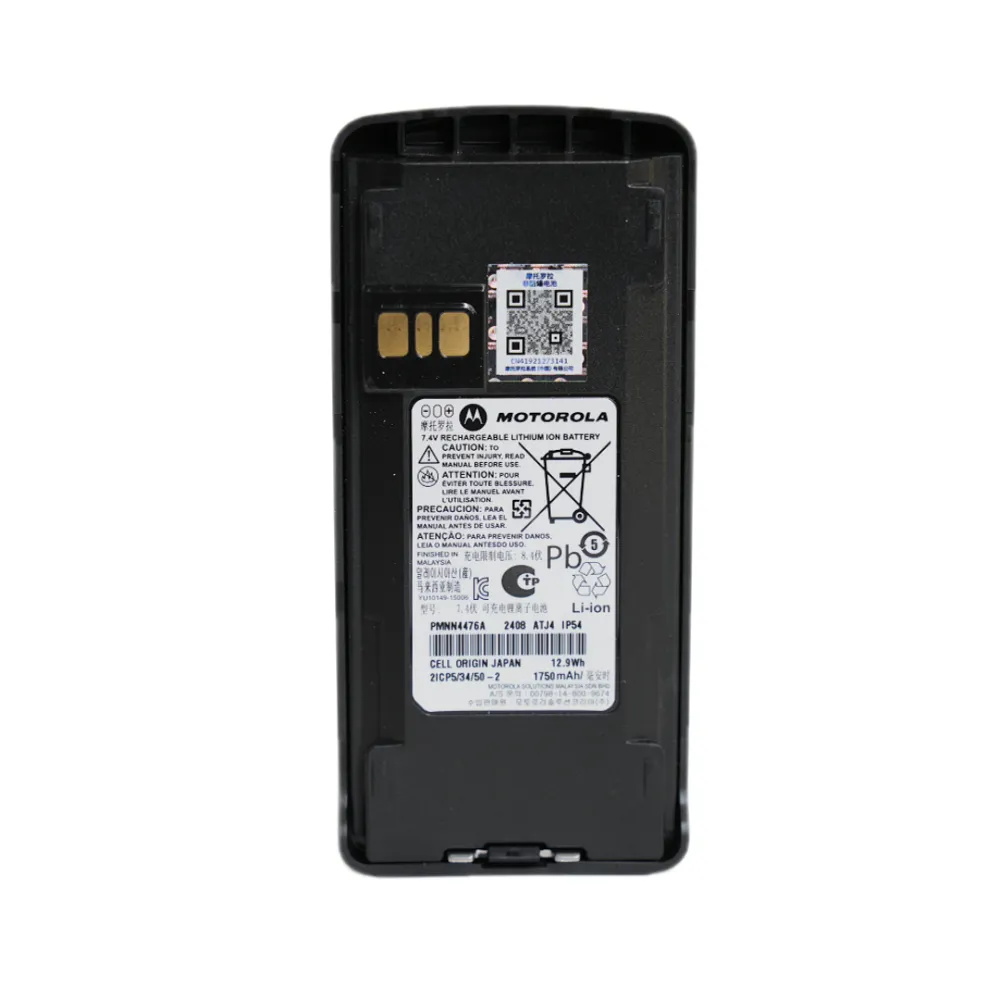
For professionals in emergency response, logistics, and construction—consistent radio performance isn’t just convenient—it’s critical. The Motorola DP4400, DP4600, and DP48 series radios rely on a stable power source: the 7.2V 2450mAh lithium-ion battery. Proper maintenance ensures not only optimal runtime but also safety compliance and extended device life.
Not all batteries are created equal—even within Motorola’s lineup. Only genuine or certified replacements for the 7.2V 2450mAh specification should be used. Using incompatible cells can lead to overheating (up to 60°C in extreme cases), reduced cycle life (<500 cycles vs. 1000+ for quality cells), or even internal short circuits. Always verify part numbers like ML-4032-BAT before installation.
| Model | Compatible Battery | Recommended Charge Time |
|---|---|---|
| DP4400 | 7.2V 2450mAh Li-ion | 3–4 hours (full charge) |
| DP4600 | Same as above | 3–4 hours |
| DP48 | Same as above | 3–4 hours |
Avoid overcharging by using only original chargers or those with built-in cut-off mechanisms. Leaving a battery plugged in beyond 12 hours increases stress on the cell—leading to capacity loss of up to 15% per year. For best results, charge at room temperature (15–25°C). Below 5°C, lithium-ion chemistry slows significantly, reducing efficiency by up to 30%.
Set a monthly reminder to inspect:
These small checks prevent costly downtime during high-stakes operations. In one field study across 150 units, companies that followed this routine reported a 40% reduction in battery-related failures over six months.
If your DP4600 suddenly shuts off mid-shift:
Still unsure? Our technical support team responds within 2 business hours for verified customers—a service we’re proud to offer because reliability matters more than anything else.
Need a reliable battery for your Motorola DP4600? Don’t risk your team’s communication. Choose certified parts designed for durability, safety, and consistent performance—no compromises.
Get Certified Batteries Today →





.png?x-oss-process=image/resize,h_600,m_lfit/format,webp)
.png)


.png?x-oss-process=image/resize,h_600,m_lfit/format,webp)


 Facebook