
In the world of professional communication, Motorola stands as a trusted brand, and its DP4400, DP4600, and DP48 series of two-way radios are well-regarded for their reliability and performance. A crucial component of these devices is the 7.2V 2450mAh lithium-ion battery. This article will provide a comprehensive guide on the compatibility, replacement steps, and proper use of this battery.
The 7.2V 2450mAh lithium-ion battery is specifically designed to be compatible with Motorola DP4400, DP4600, and DP48 models. This compatibility ensures seamless integration and optimal performance. With a capacity of 2450mAh, it can provide long-lasting power for extended periods of use. For example, in a busy logistics operation, a single charge can support continuous use of the radio for up to 10 hours, based on industry user feedback.
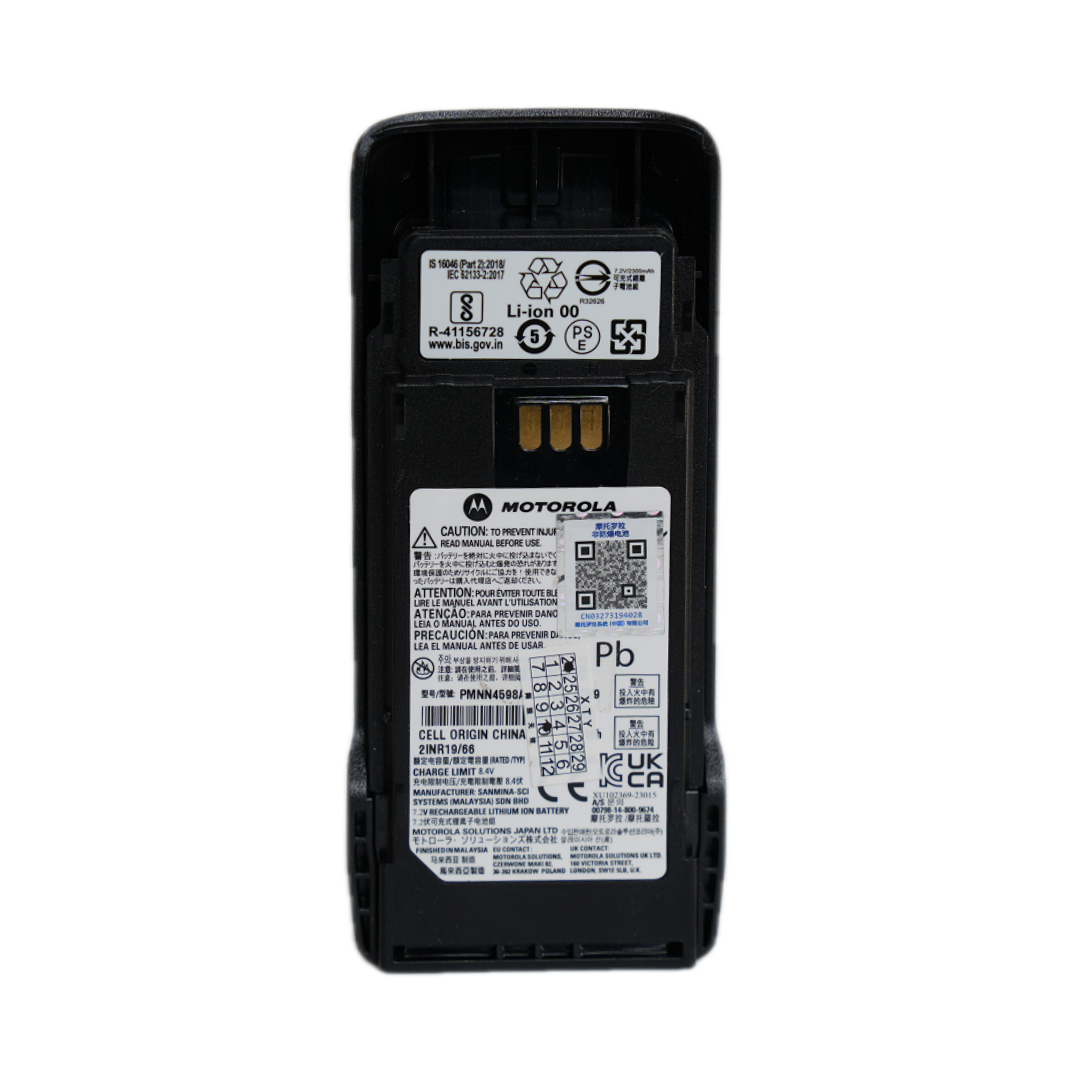
Selecting the right battery is of utmost importance. Using an incompatible battery can lead to various issues, such as reduced performance, shorter battery life, and even potential safety hazards. According to industry standards, using a battery that does not meet the specified voltage and capacity requirements can cause overheating, which may damage the radio and pose a risk to the user. Therefore, always choose the 7.2V 2450mAh lithium-ion battery specifically designed for these Motorola models to ensure stable and safe operation.
Replacing the battery is a straightforward process, but it should be done carefully. Here are the steps:
Proper charging is essential for maintaining the battery's performance and lifespan. Here are some charging tips:
To extend the battery's lifespan, regular maintenance is necessary. Here are some tips:
Even with proper use and maintenance, you may encounter some battery-related issues. Here is a simple FAQ to help you troubleshoot:
| Question | Answer |
|---|---|
| The battery does not hold a charge. | Check if the battery contacts are dirty. Clean them and try charging again. If the problem persists, the battery may be reaching the end of its lifespan and needs to be replaced. |
| The radio shuts off unexpectedly. | This could be due to a loose battery connection. Make sure the battery is properly installed and the contacts are clean. Also, check if the battery is fully charged. |
In conclusion, the 7.2V 2450mAh lithium-ion battery for Motorola DP4400, DP4600, and DP48 models is a reliable and essential component. By following the guidelines in this article, you can ensure the optimal performance and longevity of your radio. Trust in the professional brand of Motorola and choose the compatible battery for safe and efficient use. Click here to explore our range of Motorola batteries and ensure your communication devices are always powered up!





.png?x-oss-process=image/resize,h_600,m_lfit/format,webp)
.png)


 Facebook